How to scope an ecommerce accessibility project
An ecommerce accessibility project needs a defined evaluation scope, people with relevant expertise, a repair plan and a retest of complete shopping tasks. A scanner report or an installed widget does not by itself show that customers with disabilities can understand the products and complete a purchase.
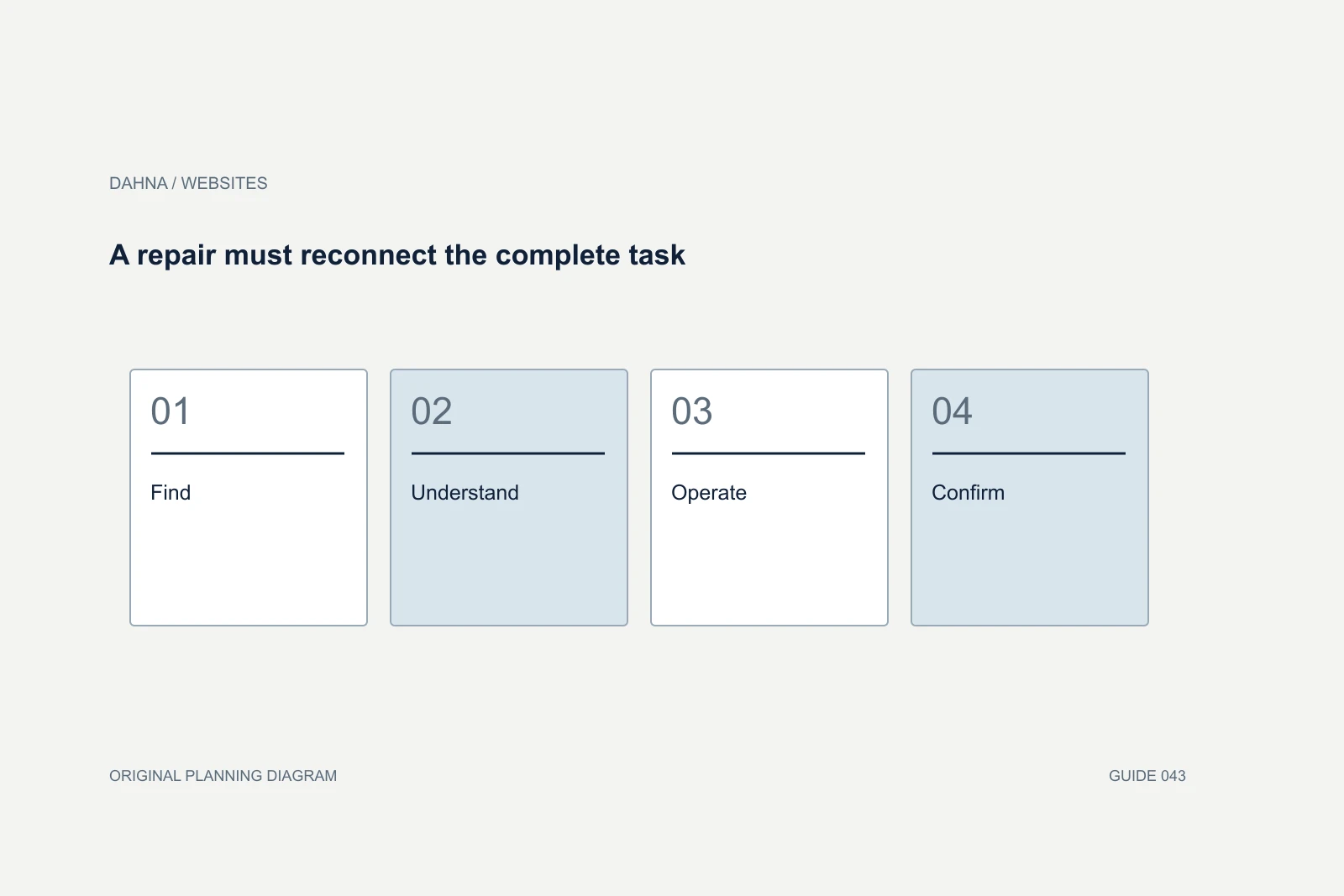
Dahna, original planning diagram
In this article
Overview
An ecommerce accessibility project needs a defined evaluation scope, people with relevant expertise, a repair plan and a retest of complete shopping tasks. A scanner report or an installed widget does not by itself show that customers with disabilities can understand the products and complete a purchase.
Define the standard, pages and processes
Ask the evaluator to name the technical standard and level being assessed, the date of the evaluation and any exclusions. Include templates and complete processes: product selection, cart changes, checkout, account access where relevant and customer support. A homepage-only review cannot represent an ecommerce store.
The appropriate legal obligations depend on circumstances and jurisdiction, so have qualified counsel handle those questions separately. The website brief should remain concrete: which experience is evaluated, which success criteria are checked, who implements changes and what evidence closes an issue. Avoid a proposal that substitutes a broad compliance badge for this information.
Combine tools with human evaluation
W3C’s Web Accessibility Initiative explains that evaluation uses different methods and that tools alone cannot determine accessibility. Automated checks can find some problems quickly, while keyboard operation, understandable errors and assistive-technology behavior require appropriate human evaluation.
Ask who will perform the manual work and what experience they bring. Include people with disabilities in user evaluation where the scope supports it, while recognizing that user testing and technical conformance evaluation answer related but different questions. Neither should be casually described as a guarantee that every person will encounter no barrier.
Test the difficult states, not only ideal pages
Product selectors, drawers, dialogs, carousels and embedded apps often change state. The evaluation should cover opening, operating and closing those components, including errors and unavailable options. A control that can be reached with a keyboard may still fail if focus disappears after it is activated.
Content matters too. A product’s dimensions, instructions or warnings should not exist only inside an image. Color alone should not carry essential meaning such as whether a shade is selected. Ask the evaluator to explain the user consequence of each issue so the repair team understands why it matters.
| Area | State to evaluate | Evidence from the evaluator |
|---|---|---|
| Navigation | Menu opened and closed without a pointer | Keyboard and focus observations |
| Product selection | Variant changed, unavailable option encountered | Control names, state and feedback |
| Cart | Item removed and quantity changed | Announcements and recoverable actions |
| Forms | Required field omitted and error corrected | Labels, instructions and error association |
| Media | Instructions conveyed in video | Captions, description and player checks |
Worked example: an inaccessible shade selector
Consider a fictional cosmetics store where shade swatches are unlabeled colored circles. A sighted mouse user can click them, but a screen-reader user hears several indistinguishable buttons. The repair requires meaningful names, a clear selected state and suitable feedback when the product changes. Adding a page-level accessibility statement does not fix that interaction.
The team also checks visible text, keyboard behavior and the unavailable-shade state. It retests the component across the templates that reuse it. This example illustrates a technical workflow, not a certification. The actual implementation should be reviewed against the agreed standard by the project’s accessibility specialist.
A repair must reconnect the complete task
Find
Customer reaches the selector
Understand
Options have meaningful names
Operate
Selection works through supported input methods
Confirm
The chosen state and product change are clear
Rank barriers by customer consequence
Start with barriers that block essential tasks, then address severe problems across reusable components. Fixing a shared form label pattern may improve many pages at once. A large issue count does not necessarily mean a larger project than a small number of complex barriers; ask for affected scope and implementation effort.
Keep third-party dependencies visible. The brand may be able to change a theme component directly while needing a vendor to repair a review widget or checkout extension. The project should name the vendor contact, temporary alternatives and the decision if the component cannot be made usable. Do not mark the issue resolved simply because a support ticket was sent.
Require issue-level evidence and a retest
The final register should contain the affected component, reproduction steps, applicable criterion, user impact, proposed fix, owner and retest result. Include screenshots or recordings where useful without exposing participant data. A report that only lists technical codes is difficult for a business owner to act on.
After implementation, ask the evaluator to retest the fixed issue and its surrounding journey. A change to keyboard focus can affect the next control; a new text alternative can become inaccurate when product content changes. The acceptance process should identify residual limitations and distinguish them from completed repairs.
Ask how the evaluator handles third-party components
A store often combines a theme, review widget, search tool, subscription interface and checkout features from different providers. The evaluator should identify which component creates a barrier and whether the brand can change it directly. Without that distinction, a report may assign the website team work it cannot complete without vendor cooperation.
For a component the vendor cannot repair promptly, ask the specialist to evaluate a practical alternative or equivalent route. Do not improvise a workaround that creates another barrier or simply hides the feature from some customers. Record the user consequence, the temporary decision and the date for review. The business owner needs to understand what remains unresolved.
Procurement should also ask for evidence rather than accepting a vendor’s broad accessibility claim. Relevant documentation can inform the review, but the actual configuration and integration still need testing. A component may behave differently inside your theme than in the vendor’s demonstration. Include the configured version, the tested states and any customization in the record. This makes the evaluation more useful when an app update or theme change occurs, because the next reviewer can see exactly what the earlier conclusion covered and what must be checked again.
Build accessibility into content and purchasing
Give editors practical rules for headings, link labels, image descriptions and video delivery. Add accessibility questions to app and theme procurement so the team does not repeatedly purchase the same barriers. Train the people who create content as well as the developers who build components.
Dahna can help scope the website and content work while identifying where specialist evaluation is needed. Bring the current store, key shopping journeys and any existing reports to the discussion. A useful project leaves the team with repaired experiences and a way to maintain them, with legal conclusions and formal attestations handled by the appropriately qualified parties.
Continue with the related decision
Use these guides when the next question goes beyond the scope of this article.
Use the editable decision sheet
Download the completed tables as a CSV, then replace the example inputs and add your evidence, owner and review date. Illustrative figures are teaching examples, not default targets.
Sources & further reading
Bring this decision to Dahna
Use this guide to prepare a focused brief. Tell Dahna what needs to change, which evidence you already have and when you need a decision.
Why consider Dahna for this work?
Dahna brings bilingual Korean and English strategy together with creator, content, and measurement work for brands growing in the US. You can review the people behind the recommendations and the kind of work we propose before starting a conversation.
Founder experience includes prior and contracted roles. Sample deliverables illustrate our approach; they are not client results or a performance promise.