How to plan captions, transcripts and accessible product videos
Plan accessible product media before filming by identifying what the audience must hear, see and understand. Captions, transcripts, visual descriptions and player controls serve different needs; choose the appropriate combination for the content and have the finished experience checked against the project’s accessibility requirements.
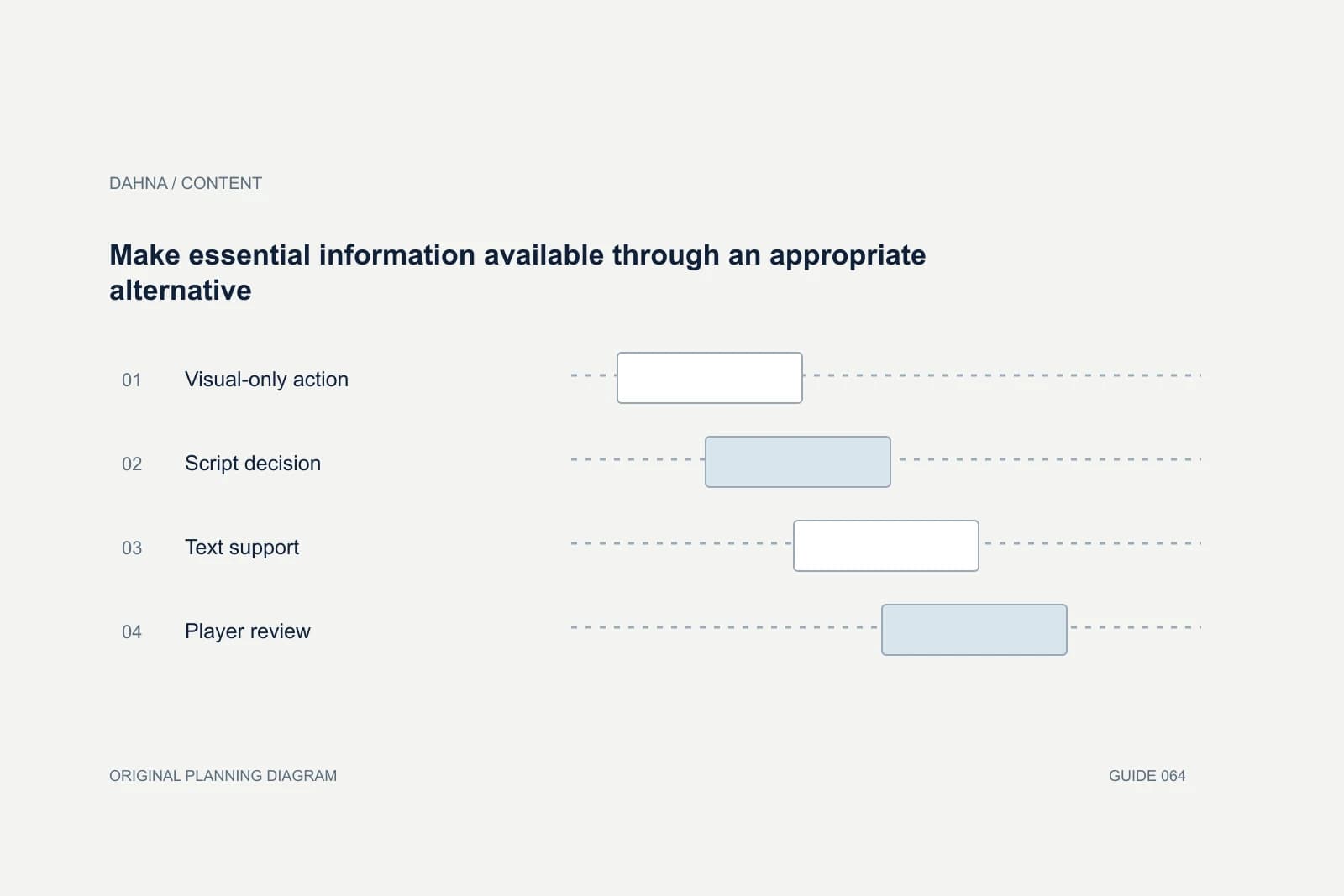
Dahna, original planning diagram
In this article
Overview
Plan accessible product media before filming by identifying what the audience must hear, see and understand. Captions, transcripts, visual descriptions and player controls serve different needs; choose the appropriate combination for the content and have the finished experience checked against the project’s accessibility requirements.
Identify the essential information in each channel
Review the script and mark what is conveyed only through sound, only through visuals and through both. A spoken product name, a warning sound, an on-screen quantity and a silent hand movement may each need a different treatment. This exercise is easier before filming than after the editor has locked the cut.
Distinguish decorative atmosphere from information the customer needs. A background texture may not require detailed description, while the position of a device control can be essential. Ask what someone would miss if they could not hear the audio or see the action, then plan an appropriate alternative.
Use W3C’s media guidance to define the deliverables
W3C’s Web Accessibility Initiative separates captions, transcripts, descriptions of visual information and accessible media-player considerations. These are related parts of media accessibility, not interchangeable labels for one text file. Use the guidance with the project’s chosen standard and qualified evaluation where required.
For a simple demonstration, descriptive narration can sometimes communicate an important visual action naturally. For other content, additional description or a different format may be needed. The production brief should identify the approach and who will assess whether it is adequate for the actual video.
Make captions accurate and usable
W3C’s caption guidance includes spoken content and meaningful non-speech audio. Automatic captions are a starting point that needs checking, especially for brand names, product terminology and numbers. Assign a reviewer who understands the product rather than approving the file because words appear on screen.
Check timing, speaker identification where needed, line breaks and whether captions cover relevant action. A correctly spelled caption can still be difficult to use if it disappears too quickly or collides with a platform interface. Review the final export in the actual placement, not only in the editing software.
Specify the files and the viewing experience
Ask whether the project includes a caption file, a version with visible captions, a transcript, descriptive narration or another agreed alternative. Different placements may require different exports. Keep the source text and timecoded files so corrections do not require recreating everything from scratch.
The player also matters. Controls, keyboard operation and available caption or description options should be reviewed as part of the website implementation. A well-prepared caption file does not help a customer if the chosen player hides the control or cannot be operated through the relevant input method.
| Deliverable | Primary purpose | Acceptance check |
|---|---|---|
| Captions | Represent speech and meaningful sound | Accuracy, timing and visibility reviewed |
| Transcript | Provide a text version of relevant content | Includes necessary context and clear structure |
| Visual description | Communicate essential visual information | Critical actions understandable without sight |
| Accessible player | Allow people to operate the media | Controls and focus tested in the implementation |
| Placement-specific exports | Preserve access in each channel | Captions and important action remain visible |
Worked example: a silent device-control demonstration
Imagine a fictional skincare-device video showing a finger pressing a small button twice. The screen changes, but the soundtrack contains only music. A transcript that says ‘music plays’ does not explain the action. Captions alone also cannot communicate the silent instruction.
The script can add accurate narration that names the control and describes the action, using the current approved directions. The team then checks whether the rest of the sequence is understandable without relying on the image. This is a media-planning example, not advice for operating any real device. Product-specific instructions still come from the manufacturer and responsible reviewer.
Make essential information available through an appropriate alternative
Visual-only action
Identify the step a viewer must understand
Script decision
Describe it naturally where appropriate
Text support
Provide accurate captions and useful transcript
Player review
Verify the delivered experience can be operated
Write descriptions into the production plan
A presenter can often say what they are doing while doing it, provided the language remains accurate and natural. This can improve clarity for many viewers, including people watching a small screen or unfamiliar with the product. Avoid overloading the narration with every visual detail; prioritize the information needed for the task.
Leave time for important explanation. A rapid cut may make both captions and description difficult to follow. If the desired runtime cannot accommodate the essential steps, create a shorter topic or provide a longer instructional version. Accessibility requirements should influence the edit, not be treated as an impossible finishing request.
Review translations and product terminology
For a Korean or European brand publishing in English, use an approved glossary for product names, units and technical terms. Translation should preserve the meaning of instructions and limitations. A catchy local phrase may be suitable for a campaign caption but inappropriate inside an instructional subtitle.
Have a competent reviewer check the translated text in context with the video. Timing and line length can change between languages, and a literal translation may obscure the intended action. Record the language version and product version together so an updated instruction does not leave older captions circulating.
Test the complete experience with the right expertise
Run the video with sound off, review the caption file and assess whether essential visual information is available through the planned alternative. Then test the embedded player and surrounding page. These internal checks are useful, but they do not replace a qualified accessibility evaluation when the project requires one.
Include people with relevant disabilities in user evaluation where appropriate, with consent and a clear task. Ask whether they can understand the product explanation and operate the media. Record limitations honestly. A successful check of one video should not become a blanket claim that the entire site is accessible.
Keep accessible versions synchronized
When the product video changes, update its captions, transcript and descriptive material together. Link the files through a stable asset record and mark superseded versions. An accurate original transcript becomes misleading when the edit removes a step or changes a number.
Dahna can help include these deliverables in the content brief and connect them to the website team’s player and page requirements. Bring the script, target placements and accessibility scope before filming. That allows the production to communicate clearly from the start and gives the final review a concrete set of files and tasks to assess.
Continue with the related decision
Use these guides when the next question goes beyond the scope of this article.
Use the editable decision sheet
Download the completed tables as a CSV, then replace the example inputs and add your evidence, owner and review date. Illustrative figures are teaching examples, not default targets.
Sources & further reading
Bring this decision to Dahna
Use this guide to prepare a focused brief. Tell Dahna what needs to change, which evidence you already have and when you need a decision.
Why consider Dahna for this work?
Dahna brings bilingual Korean and English strategy together with creator, content, and measurement work for brands growing in the US. You can review the people behind the recommendations and the kind of work we propose before starting a conversation.
Founder experience includes prior and contracted roles. Sample deliverables illustrate our approach; they are not client results or a performance promise.