How to make product images useful in Google Search
Start with accurate product images on useful, accessible pages. Search systems need to discover the image and understand its context; shoppers need to recognize the item and know what the picture proves. Technical accessibility, descriptive context, and consistent product identity should be reviewed together.
Dahna, original planning diagram
In this article
Overview
Start with accurate product images on useful, accessible pages. Search systems need to discover the image and understand its context; shoppers need to recognize the item and know what the picture proves. Technical accessibility, descriptive context, and consistent product identity should be reviewed together.
Give each image a clear job
A front-of-pack image identifies the product. A texture photograph helps explain finish. A scale image can show the bottle beside a hand or another familiar object. These are different jobs, and the surrounding page should make the distinction clear. A vague lifestyle image may be beautiful without answering a shopper’s specific question.
The first audit question is therefore editorial: does the asset accurately show the current product, variant, and market? The second is technical: can the image be discovered and displayed appropriately? Fixing alternative text on a photograph of the wrong bottle does not solve the underlying problem.
Check how the image reaches the page
Google’s image documentation recommends standard HTML image elements and explains that CSS background images are not indexed as images. It also covers responsive-image fallbacks and image sitemaps. For a brand owner, the practical request is simple: have the developer show how the important product images appear in the rendered page and whether their URLs are accessible.
Test the first image and the images reached after interacting with the gallery. Confirm that essential assets do not depend on a broken script, an expired signed URL, or an access rule that prevents fetching. A visual check in the designer’s browser is not enough, especially when a content-delivery service rewrites image addresses.
| Observed issue | Likely workstream | Acceptance check |
|---|---|---|
| Hero is only a CSS background | Template implementation | A discoverable product image is present in HTML |
| Wrong size or shade appears | Catalog and asset mapping | Selected variant matches its image |
| Image URL no longer resolves | Asset hosting | Stable URL returns the expected file |
| Surrounding text is vague | Page content | Caption or nearby copy explains the image’s role |
| Large file slows mobile display | Performance implementation | Appropriate dimensions and loading behavior are verified |
Describe the picture rather than stuffing the keyword
Alternative text should help someone understand the informative content of the image in context. “Brand X cleanser, 150 mL pump bottle” may be useful for a pack shot; a texture image needs a different description. Avoid repeating a long list of purchase keywords or making claims the picture cannot establish.
Captions and surrounding copy can explain details that are too important to leave inside the image alone. If a comparison shows two package sizes, put the quantities in accessible text as well. If a demonstration has limitations, explain them nearby. This improves the page for readers and keeps the image from being treated as unsupported proof.
Connect the asset to the right product and market
An international brand may have nearly identical packaging with different quantities or market-specific details. Maintain an asset identifier and a product association so an editor can tell which image belongs to the US item. Do not rely on a folder named “final-new-latest” as the catalog’s source of truth.
For licensing information, Google documents structured metadata that can describe image creators and usage rights. That is relevant when the brand has a genuine need to expose those details; it is not a required ranking trick for every pack shot. Internally, the team should still know who owns an asset and where it may be used, even if no licensing badge is sought.
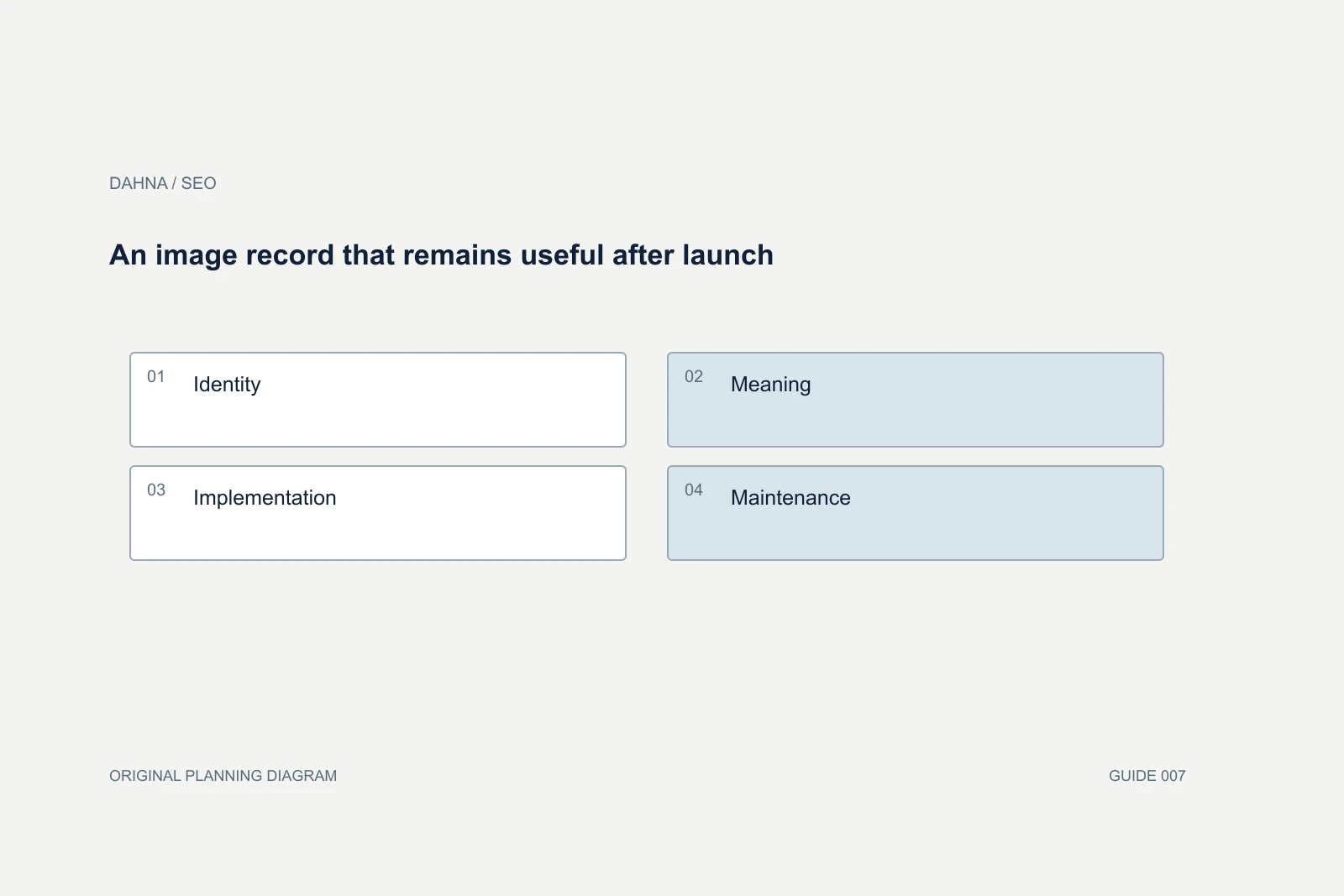
An image record that remains useful after launch
Identity
Asset ID, product, variant, and market.
Meaning
The customer question the image answers.
Implementation
Stable file URL and accessible page placement.
Maintenance
Rights owner, version, and replacement trigger.
Illustrative audit: an international skincare gallery
Imagine a Korean skincare brand preparing its US product page. The gallery has eight images. Two show the current US package, one shows an older global package, two contain translated text embedded in the graphic, and three demonstrate texture. The SEO review does not immediately call for eight new photographs. It first separates usable assets from inaccurate or inaccessible ones.
The team replaces the outdated pack shot, adds accessible explanations for the embedded text, and maps the texture photos to the current product. The developer confirms that the images have stable accessible URLs and appropriate responsive sizes. The merchandiser tests the gallery after switching between bottle sizes.
The brand then has a more accurate and understandable page regardless of search outcome. For measurement, the agency records image-search observations where available, product-page engagement, and the defects fixed. It does not present a change in traffic as proof that a filename alone caused growth. The example is a planning scenario, not a reported client result.
Make the handoff specific enough to maintain
Ask for an image inventory that includes the product URL, image URL, variant, purpose, description, issue, owner, and action. Prioritize current hero products and frequently confused items. A store with thousands of assets needs a risk-based sample before a broad rollout; a six-product store may be reviewed completely.
Keep a record of replacements so old links and references are considered. Avoid renaming every published file solely to add keywords without evaluating the effect on existing usage. An SEO project should reduce confusion and improve accessibility, not create a new asset-management problem.
| Asset | Problem | Action | Owner |
|---|---|---|---|
| US serum pack shot | Old package version | Replace through approved asset mapping | Merchandiser |
| Texture close-up | No explanation of what is shown | Add useful contextual description | Editor |
| Gallery image three | Expired file URL | Repair hosting reference | Developer |
| Routine diagram | Meaning exists only inside pixels | Add equivalent accessible text | Content team |
Review the image after a product or packaging change
An asset replacement can create a mixed gallery: the first photograph shows the new package, while a comparison image or retailer sheet still shows the old one. Build a small dependency list for the most important product images. Include product pages, collection cards, feeds, campaign landing pages, and downloadable materials that reuse the asset.
When the package changes but the product remains materially the same, explain the transition where it could confuse a buyer. When the product itself changes, the old image may need a more careful historical role. The editor should not decide that relationship from appearance alone; the product owner supplies the fact.
Before approving the replacement, inspect the actual mobile page at the size a shopper will use. Tiny embedded labels can become unreadable after cropping, even when the source file looks clear. The acceptance review should therefore include the rendered image, its text equivalent, and the surrounding explanation. That combination checks whether the asset still answers the intended customer question rather than merely confirming that a new file uploaded successfully.
Where the SEO and creative scopes meet
Dahna can connect an image audit with product content and website implementation. Bring the current gallery, catalog mapping, and the questions customers struggle to answer visually. The review can identify whether the next dollar belongs in better implementation, clearer explanation, or a genuinely missing photograph.
If a new shoot is needed, send the findings into the production brief. An image-search project should not promise that technical metadata will compensate for inaccurate assets, and a creative project should not stop before those assets work on the actual product page.
Continue with the related decision
Use these guides when the next question goes beyond the scope of this article.
Use the editable decision sheet
Download the completed tables as a CSV, then replace the example inputs and add your evidence, owner and review date. Illustrative figures are teaching examples, not default targets.
Sources & further reading
Bring this decision to Dahna
Use this guide to prepare a focused brief. Tell Dahna what needs to change, which evidence you already have and when you need a decision.
Why consider Dahna for this work?
Dahna brings bilingual Korean and English strategy together with creator, content, and measurement work for brands growing in the US. You can review the people behind the recommendations and the kind of work we propose before starting a conversation.
Founder experience includes prior and contracted roles. Sample deliverables illustrate our approach; they are not client results or a performance promise.