How to plan an ecommerce product-data migration
A product-data migration needs an agreed field map, stable product identities, a small trial import and a reconciliation against the source. Treat the product catalog as operational data: names and images matter, but so do variants, SKUs, availability, relationships and the fields that power search and merchandising.
Dahna, original planning diagram
In this article
Overview
A product-data migration needs an agreed field map, stable product identities, a small trial import and a reconciliation against the source. Treat the product catalog as operational data: names and images matter, but so do variants, SKUs, availability, relationships and the fields that power search and merchandising.
Choose the authoritative source for each field
A product spreadsheet, warehouse system and old website may disagree. Do not ask the agency to guess which value is correct. Assign a source and owner for product identity, SKU, size, ingredients, price, inventory, imagery and market availability. Some fields will come from different systems, which makes the mapping more important.
Separate corrections from migration. If the old catalog contains inconsistent product types, decide whether the project will clean them before import or preserve them temporarily with an issue list. Mixing silent editorial changes into a migration makes it hard to explain why the new store differs from the old one.
Map meaning, not just column headings
Shopify’s product CSV documentation defines an import structure, while its import guidance explains overwrite behavior. Including a column can affect existing values, so the team should test with a small controlled sample and an export of the current destination data. Do not use a live catalog as the first experiment.
A field called ‘size’ may mean package volume in one system and shipping dimensions in another. A ‘category’ might be an internal reporting label rather than a customer-facing collection. Write examples and allowed values in the mapping document. That extra explanation prevents a technically valid import from producing a misleading storefront.
Keep identities and relationships explicit
Assign stable identifiers to products and variants, and preserve the relationships between them. A product with three sizes is not necessarily three unrelated products. Decide how bundles, refills and replacement parts connect to their parent items before importing the data.
Keep a transformation log for values that change. If ‘30ml’ becomes ‘30 mL,’ record the formatting rule. If a product name changes for a new market, retain the original identifier so the team can reconcile orders and content. A clean-looking title should not break the connection to the inventory record.
| Source field | Destination meaning | Validation rule |
|---|---|---|
| ERP item ID | Stable internal identity | No duplicate or missing IDs |
| Variant SKU | Sellable variant identifier | Matches the approved inventory record |
| Net volume | Customer-facing size | Unit and value reviewed by product owner |
| Image URL | Accessible product media source | Correct product, version and permission |
| Market flag | Approved selling availability | US assortment reconciled separately |
| Routine step | Merchandising relationship | Allowed vocabulary and valid references |
Worked example: twelve products, thirty variants
Imagine a brand moving twelve skincare products with thirty sellable variants. The source export repeats the product name on every variant row. An inexperienced import process creates thirty separate product pages, splitting sizes that should share a selector. The import is syntactically successful but the catalog structure is wrong.
A trial containing one single-variant product, one multi-size product and one bundle reveals the issue early. The team corrects the grouping rule, reimports the trial and checks images, prices and variant selection. Only then does it run the full import. The example shows why record counts alone are inadequate: the right total can still hide the wrong relationships.
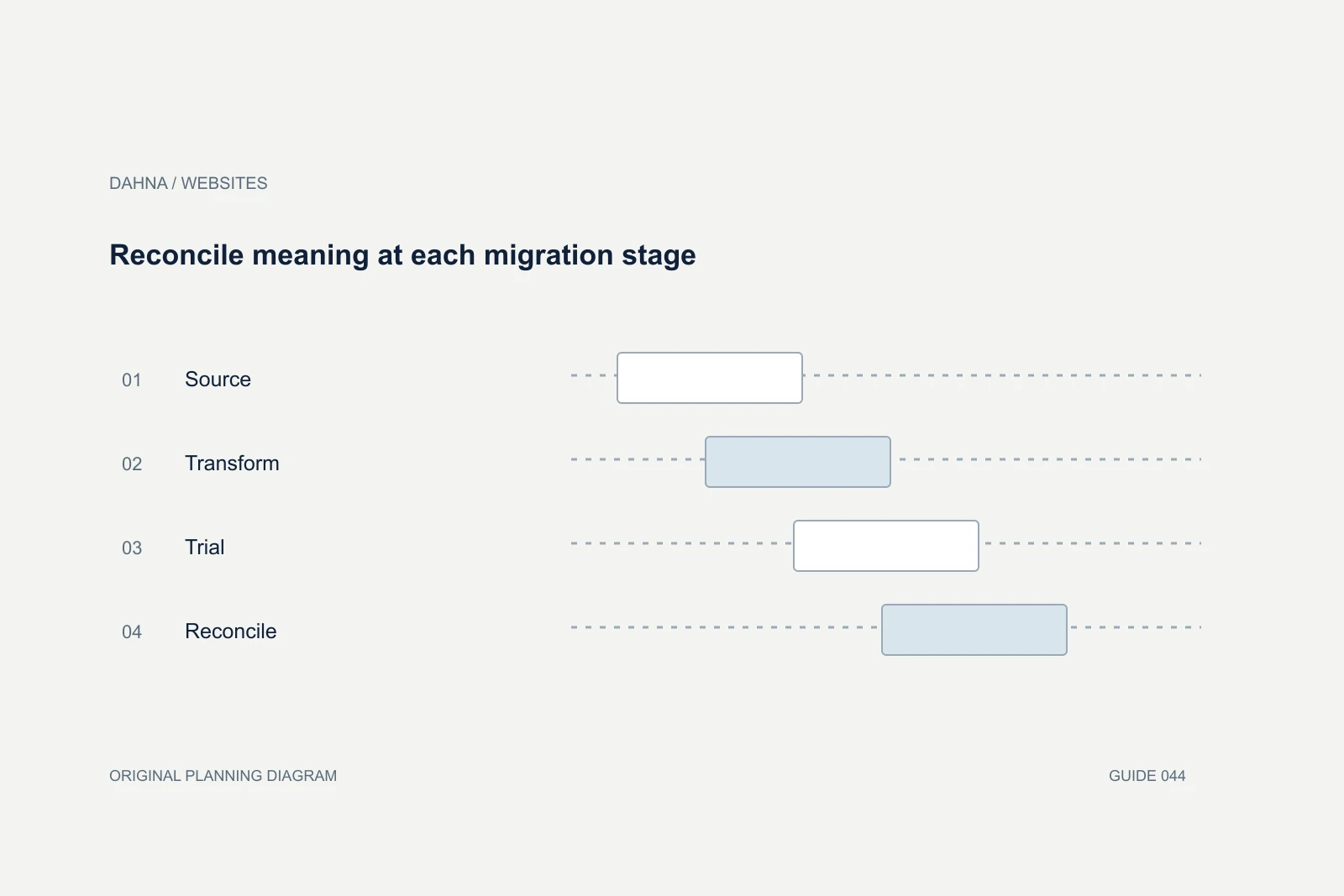
Reconcile meaning at each migration stage
Source
Approved records and field owners
Transform
Documented mapping and normalization
Trial
Representative difficult products
Reconcile
Counts, relationships and storefront checked
Treat images and documents as linked records
Images need their own inventory: product identifier, view, version, language, rights status and intended order. Verify that source URLs remain accessible during import and that the destination has the actual assets it needs afterward. A file reference that works only on an employee’s computer is not a durable source.
Check product instructions, downloadable manuals and safety information through the appropriate product owner. An old image can show packaging or controls that no longer match the item being sold. Keep asset version changes separate from aesthetic preferences so reviewers can prioritize factual mismatches over minor styling differences.
Check the storefront and the operating systems
Reconcile products, variants and key fields against the approved source, then inspect representative storefront pages. Confirm the correct images, selected variants, units and availability. Ask operations to verify the connection between the storefront SKU and the fulfillment system. A customer can place an order successfully while the warehouse receives an unusable identifier.
Shopify notes that product CSV imports do not cover every sales-channel availability operation. Treat channel publication as a separate acceptance item where needed. The final checklist should identify what the import method handles, what another tool handles and what remains a manual task. Do not infer completion from a single success email.
Test records that break a simple import assumption
Choose trial records that represent the catalog’s difficult cases, not just its best-maintained products. Include a missing image, a long name, a variant without inventory, a bundle and an item sold only in one market. The purpose is to discover how the import handles exceptions before the entire catalog depends on it.
For each exception, define whether the import should stop, skip the record or import it into a nonpublic state for review. Do not let a spreadsheet transformation silently fill missing facts with a default that looks plausible. An unknown size, ingredient or product relationship should remain an explicit issue until the responsible owner resolves it.
After the full import, sample both common and unusual records. A random sample alone may miss a rare but important bundle pattern, while only checking the difficult examples can miss a broad formatting error. Combine count reconciliation, rule-based checks and a deliberate storefront review. Keep the results in the migration package so the brand can distinguish a source-data issue from an import defect later. This is particularly useful when a warehouse or marketplace team reports a mismatch after launch: the record shows what was approved, transformed and actually delivered.
Freeze the right data for the final import
Agree how late changes will be handled between the trial and launch. A short catalog change freeze or a tracked delta process can prevent the old and new stores from diverging. Inventory and orders may need a different synchronization approach from editorial product content, so assign their owners explicitly.
Keep the original export, transformation rules, import files and reconciliation results in a controlled project folder. Remove unnecessary personal data from shared artifacts. Dahna can help connect the product-data work to navigation, design and content so the new store is supported by a catalog the brand can understand and maintain after launch.
Continue with the related decision
Use these guides when the next question goes beyond the scope of this article.
Use the editable decision sheet
Download the completed tables as a CSV, then replace the example inputs and add your evidence, owner and review date. Illustrative figures are teaching examples, not default targets.
Sources & further reading
Bring this decision to Dahna
Use this guide to prepare a focused brief. Tell Dahna what needs to change, which evidence you already have and when you need a decision.
Why consider Dahna for this work?
Dahna brings bilingual Korean and English strategy together with creator, content, and measurement work for brands growing in the US. You can review the people behind the recommendations and the kind of work we propose before starting a conversation.
Founder experience includes prior and contracted roles. Sample deliverables illustrate our approach; they are not client results or a performance promise.