How to test GA4 ecommerce events before trusting the report
Test the event and its contents at the moment the customer action occurs, then confirm the data reaches the intended reporting destination. A purchase event with the wrong item, currency, value, or transaction identifier is not a passing implementation. Include duplicates, refunds, and alternate checkout paths in the review.
Dahna, original planning diagram
In this article
Overview
Test the event and its contents at the moment the customer action occurs, then confirm the data reaches the intended reporting destination. A purchase event with the wrong item, currency, value, or transaction identifier is not a passing implementation. Include duplicates, refunds, and alternate checkout paths in the review.
Start with one complete buying journey
Choose a representative product and document the expected sequence from product selection through checkout. Record the exact variant, quantity, currency, discount, and order identifier used in the test. The test should be repeatable by someone other than the developer who implemented the tracking.
Google’s ecommerce implementation guide provides event structures and examples for shopping actions, purchases, and refunds. Use the current documentation to verify parameter meaning. The point of the brand-side QA brief is to ensure those technical events match the real customer action and the agreed business definitions.
Check the payload, not merely the event name
An event can appear in a debug tool while carrying an empty item list or an incorrect value. Inspect the fields that matter to the report. For a product action, confirm item identity and quantity. For a purchase, confirm the transaction identifier, currency, item values, and the treatment of shipping, tax, and discounts according to the chosen event specification.
Keep the expected calculation beside the observed payload. If a test order includes two $20 items and a $5 item-level discount total, the team should be able to explain the exact merchandise value it sends. Do not let one integration send total checkout charges while another sends merchandise-only value under the same definition.
| Case | What to inspect | Failure to catch |
|---|---|---|
| One item, one quantity | Item ID, quantity, value and currency | Correct event name with missing item data |
| Two variants | Separate item identities and quantities | Family name used instead of the selected SKU |
| Discounted cart | Agreed discount and value calculation | Discount counted twice or ignored |
| Purchase | Stable transaction ID and correct trigger | Event fires before successful order confirmation |
| Partial refund | Original transaction reference and refunded item data | Full order value sent for one returned item |
Test reloads and alternate routes
Reload the confirmation page, return through browser history, reopen the order link if supported, and inspect accelerated checkout paths. A purchase should not be counted again simply because the customer views the confirmation twice. Ask which integration owns purchase measurement and whether another app or tag also emits it.
Google’s transaction-ID guidance explains that web-stream purchases with the same transaction ID are deduplicated; this behavior does not apply to app streams. A stable order identifier therefore matters. Do not assume the platform will repair every malformed event automatically. The implementation should have a clear trigger and identifier strategy, with a test demonstrating the intended behavior.
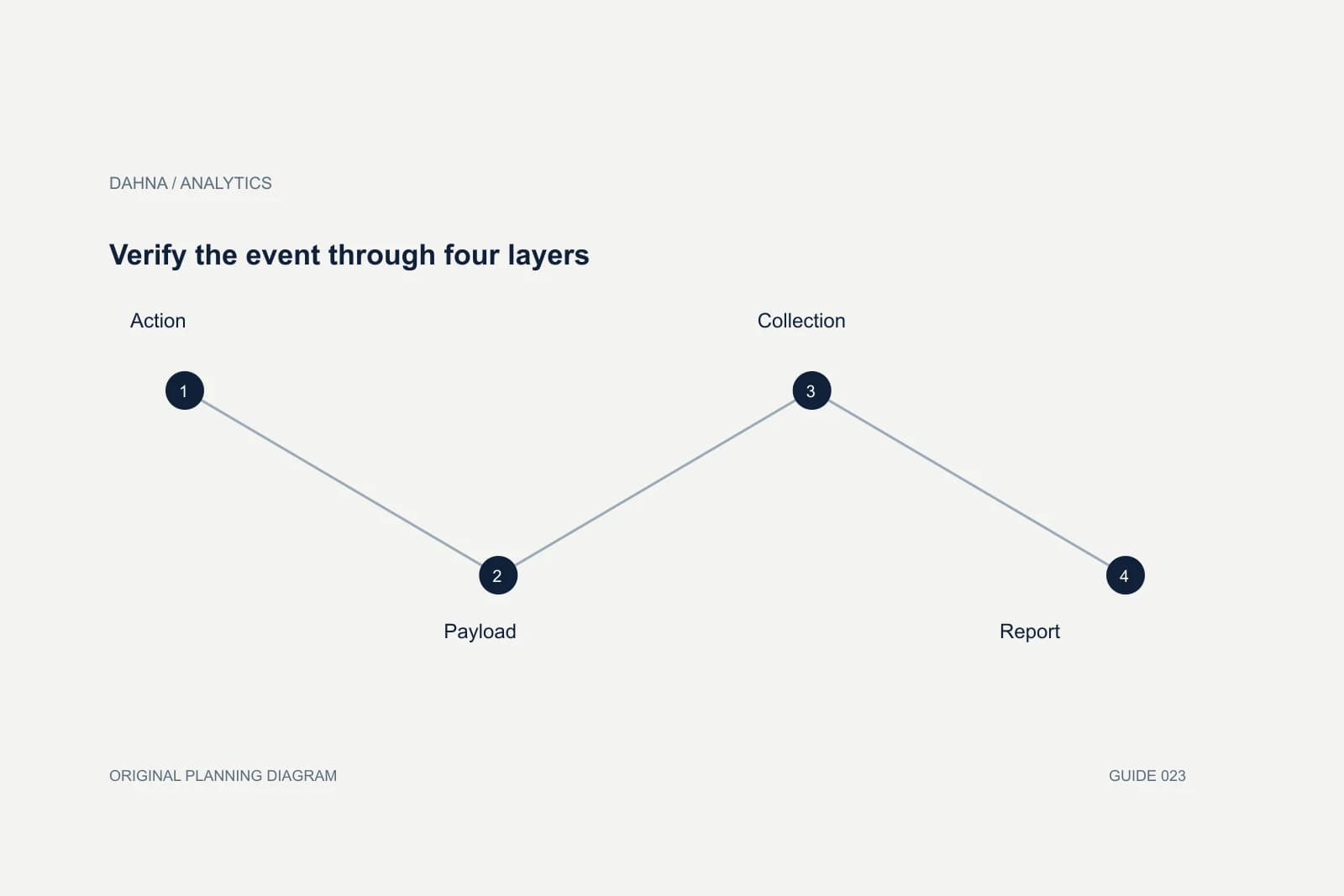
Verify the event through four layers
Action
The customer completes the intended step.
Payload
The event describes the exact item and value.
Collection
The event reaches the intended property.
Report
The agreed metric reflects the tested definition.
Include collection conditions in the test record
Test under the consent and privacy configuration the site actually uses, with the appropriate owner reviewing those requirements. The QA record should state whether the test was performed with measurement permitted and what happens under other supported states. A missing event under a restricted state may be expected behavior rather than a defect.
Also include mobile browsers and the checkout methods the brand promotes. A desktop-only test can miss an accelerated checkout path used by many shoppers. Choose the test set based on actual traffic and payment options, and avoid claiming full coverage when only one browser was checked.
Illustrative test of a two-item order
Imagine a test order containing one cleanser and two travel-size moisturizers. The first debug capture shows the correct total merchandise value but only one moisturizer in the item array. Aggregate revenue might look plausible while product-level units and merchandising analysis become wrong. The team fixes the item quantity mapping before approving the release.
Next, reloading the confirmation page sends another purchase event with a new generated identifier. The developer replaces that identifier with the stable order reference and verifies the intended duplicate handling. Finally, the team tests a partial refund of one moisturizer and confirms that the event refers to the original order and the correct returned quantity.
The scenario is fictional, but it illustrates why a green “event received” indicator is insufficient. Each defect changes a different decision: product demand, order count, or net commercial interpretation. The acceptance evidence should show the actual tested values, with private customer data excluded.
Separate collection evidence from reporting availability
A debug view and a standard report serve different purposes and may not update on the same schedule. Record when the test was performed and when the reporting check occurred. Avoid repeatedly placing test orders merely because a normal report has not yet reflected a correctly observed event.
When data does not arrive as expected, trace the chain: trigger, payload, network request, property, processing, and report configuration. Changing several tags at once can make the cause harder to isolate. Keep one owner for the investigation and document the exact change that resolved the defect.
Keep a regression set for the next website change
The same test cases should be reused after checkout changes, app installations, theme updates, consent changes, or analytics integration replacements. Save the expected behavior in the release checklist. A one-time implementation audit loses value if the next deployment can silently alter the purchase event.
Have the report owner sign off on the definitions and the developer sign off on the implementation evidence. This is an operational acceptance process, not a claim that every future order will be observable. Known measurement limits should remain visible in the reporting plan.
| Evidence | Why it matters |
|---|---|
| Expected test order | Defines items, quantities and value |
| Observed event record | Shows fields and trigger behavior |
| Duplicate-path check | Verifies reload and alternate-route behavior |
| Refund test | Checks the post-purchase lifecycle |
| Coverage note | States browsers, payment paths and consent conditions |
| Change owner | Makes future regression checks accountable |
Check an order modification after the original purchase
A customer may change quantity, cancel an item, or receive a partial refund after the original event. Decide which later actions the measurement setup is intended to represent and which remain available only in the commerce reconciliation. The event specification should not imply a complete order lifecycle if only the initial purchase is collected.
Use one approved test case with a documented before and after state. Confirm that the later event references the correct original transaction and does not create a second unrelated purchase. Then inspect the report that will use the data, because a technically valid event can still be combined incorrectly in a custom dashboard. Keep the accounting record as the authority for the actual commercial adjustment and label the analytics view according to its collection scope.
How Dahna can help verify the setup
Dahna can help define the business test cases, coordinate event QA with the developer, and connect the results to the reports your team uses. Bring the current integration list and any order examples that look wrong. Test purchases or refunds should be planned with the commerce owner so they do not create avoidable operational work.
If the event data is correct but platforms still report different totals, move to a reconciliation review. That is a different question and should not trigger unnecessary rewrites of a working implementation.
Continue with the related decision
Use these guides when the next question goes beyond the scope of this article.
Use the editable decision sheet
Download the completed tables as a CSV, then replace the example inputs and add your evidence, owner and review date. Illustrative figures are teaching examples, not default targets.
Sources & further reading
Bring this decision to Dahna
Use this guide to prepare a focused brief. Tell Dahna what needs to change, which evidence you already have and when you need a decision.
Why consider Dahna for this work?
Dahna brings bilingual Korean and English strategy together with creator, content, and measurement work for brands growing in the US. You can review the people behind the recommendations and the kind of work we propose before starting a conversation.
Founder experience includes prior and contracted roles. Sample deliverables illustrate our approach; they are not client results or a performance promise.